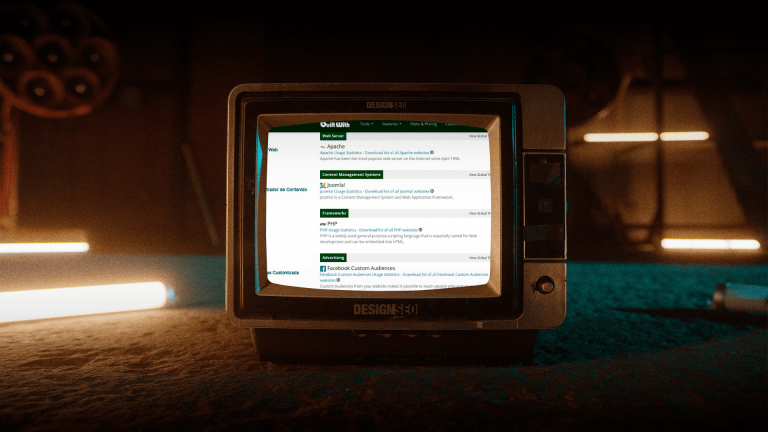
BuiltWith lets you identify technologies detected on a website and compare them with those of other businesses. To analyze your competitors, look up the domain, review advertising signals, and cross-check analytics and automation. The result helps formulate hypotheses, not uncover budgets, sales, or internal processes. This guide explains the three steps and how to turn findings into decisions about strategic web design and digital analytics.
What a website’s technology can reveal
A website leaves public signals about some of the tools used to build it. A CMS, an analytics tag, or a payment provider may appear in the report, but they do not describe the entire operation. A detection may be historical, partial, or incorrect. The presence of a tool does not prove that someone actively uses it, pays for it, or has integrated it well with the rest of the business.
The difference between seeing tools and understanding decisions
For example, detecting Shopify, HubSpot, and Google Analytics 4 lets you raise questions about commerce, contacts, and measurement. It does not prove that all three tools are connected or that a follow-up sequence exists. Similarly, a pixel does not demonstrate ongoing campaigns, and WordPress with Elementor and GA4 does not, on its own, indicate low maturity. If you analyze digital advertising, always separate what was detected from what you need to confirm.
Signals that require further validation
A tag manager, a CRM, and a CDN can be useful components, but their presence does not demonstrate good governance. Several similar technologies may reflect a migration, different sections, or old detections, rather than necessarily indicating technical debt. Note the function of each category and what additional evidence you would need. Speed, data quality, and conversion are evaluated with appropriate tests and records, not by counting tools.
Why this analysis matters before redesigning or investing in media
Before redesigning or investing in media, a technology comparison helps formulate questions and explore alternatives. If several reference sites show the same booking platform, you can investigate whether it addresses a need in your sector. That does not automatically make it a mandatory standard. Combine this analysis with your own goals, interviews, journey reviews, and operational capacity. BuiltWith complements an audit; it does not replace a diagnosis of your site or information from your customers.
Step 1: look up the competitor site’s technologies
Enter the competitor’s domain in BuiltWith’s search and open its technology profile. Verify that it is the correct site and note the lookup date. If you are interested in a specific landing page, store, or subdomain, also record that address and check the report’s scope: a domain-level result does not establish that a technology is present on every page.
Read the main report without getting lost in the noise
Organize detections into four groups: site construction, measurement, acquisition, and payments. This lets you organize examples such as WordPress or Shopify, GA4 or Tag Manager, contact tools, and gateways such as Stripe or Mercado Pago when they appear. Do not turn each category into a conclusion about how it works. For example, a signal associated with Google verification does not let you see Search Console’s settings or private data.
What to record in a comparison table of three competitors
Create a table with three competitors as an initial exercise. For each domain, record the technology, category, lookup date, available detection dates, and a validation note. Distinguish current and historical data according to the report and review its confidence level when available. Add a column for uncertainties: unconfirmed integration, presence in only one section, or information awaiting verification. This table makes it possible to discuss a strategic website without confusing observation with diagnosis.
Common mistakes when interpreting the technology list
A common mistake is assuming that more detections mean better technology or a slower site. Another is treating a tag as proof of use. Having a pixel does not confirm a campaign, and detecting a CRM does not confirm a sales workflow. Nor does absence prove that a tool does not exist: it may be server-side, behind a login, or outside the crawl. Use the list to raise questions, not to buy through imitation.
Step 2: cross-check advertising and remarketing signals
Review categories related to advertising, ad measurement, and remarketing. Note which tags appear and when they were detected. The goal of this step is to identify channels that deserve further review. The list cannot tell you how much the company invests, whether a campaign is active, or what proportion of its sales depends on ads.
What pixels and tags allow you to infer
Meta Pixel, a Google Ads tag, LinkedIn Insight Tag, or TikTok Pixel may indicate that technology associated with those channels was installed. Criteo or AdRoll can also offer a clue about advertising tools. No detection proves continuous investment or effective recovery of abandoned journeys. When comparing this with your digital advertising plan, ask which messages and journeys are worth reviewing, without estimating spending from the names.
How to cross-check BuiltWith with public ad libraries
Consult Meta’s Ad Library and Google’s Ads Transparency Center for the brand you are researching. Check the advertiser, country, dates, and available filters. Seeing ads provides evidence about those pieces and the period shown; it does not establish budget, profitability, or continuity beyond that scope. If you find no results, mark the observation as unconfirmed: an incomplete search or coverage conditions may also explain the absence.
What the absence of certain tools tells you
If personalization, reviews, or automation do not appear, avoid concluding that the sector does not use them or that its operations are manual. Some may function outside the public site. Turn absence into a question about your own experience: is an inquiry left unanswered? Is information lost between channels? That internal evidence can justify evaluating marketing automation, regardless of what you can detect at other companies.
Step 3: review analytics and automation without assuming they are in use
Group analytics, form, CRM, email, and messaging tools. This step helps explore how follow-up might be organized, but does not let you observe internal configuration. Distinguish a tool’s name from the questions it would answer: what is recorded, who receives the contact, how an opportunity is updated, and what data can connect marketing with sales.
GA4 and Tag Manager do not prove measurement quality
Detecting GA4 without Tag Manager does not mean the implementation is basic: there are other ways to install and manage measurement. Seeing both does not establish correct events, consent, or report quality either. A CRM and an email tool may be separate. To evaluate your own measurement, test events, forms, and records with authorized access and cross-check information between systems. The digital analytics service can address that review according to the agreed scope.
Automation tools and unconfirmed use
The names HubSpot, Brevo, Klaviyo, or Zapier serve as examples of tools related to follow-up or integration, not as proof of active workflows. Some automations leave no detectable signals on a public website. For your operation, document the journey from inquiry to response, identify the person responsible, and measure actual times. Improvement is demonstrated with process records; commercial responsiveness or sales cannot be attributed to an external detection.
How to turn observation into a prioritized action plan
Prioritize a need you can verify on your site. If inquiry records are missing, review measurement; if contacts have no owner, work on follow-up; if pages load poorly, investigate performance through testing. A detected CDN does not demonstrate that competitors are faster. Define a task, an owner, and an indicator, and consider cost and maintenance before purchasing a service. A conversation through our contact page lets you review which part of the diagnosis fits a project.
How to complement BuiltWith with other checks
BuiltWith is a source of technology signals, not an infallible inventory. Its documentation describes detection based on public signals and uses confidence indicators to warn that some observations require caution. Cross-checking sources can help, as long as agreement between tools is not confused with confirmation of internal use.
Wappalyzer, WhatRuns, and SimilarTech depending on the case
Wappalyzer, WhatRuns, and SimilarTech are options you can evaluate to complement technology analysis. Before choosing, review what each detects, when it updates data, and what access its current offering provides. Do not assume universal superiority or that two independent results are fully up to date. When they disagree, record the difference and look for additional public evidence instead of treating the longest report as correct.
Validation through direct inspection and behavior testing
Review public pages, accessible code, and visible behavior in navigation, forms, or the store. You do not need to send fake inquiries or make purchases to observe the journey. A tool may not appear on the inspected page or may load only under certain conditions; an isolated test does not resolve every uncertainty either. Add context with competitor analysis and using Keyword Planner, without attributing access to private commercial results to them.
How to turn comparison into a useful decision
Observing other businesses helps broaden the alternatives. The decision should rely on your customers’ needs, the offer you can sustain, and evidence from your own operation. You do not have to reproduce a reference company’s tool list to solve the same problem.
Benchmarking that informs rather than paralyzes
A useful comparison asks three questions: what need do we share, what experience could we improve, and what complexity should we avoid? For example, if you verify friction in a booking system, propose an alternative and test whether it makes the journey easier to complete. If your website responds poorly on mobile, measure the problem before blaming the builder. Strategic web design connects structure, content, and functionality with the site’s goal.
From the tool to the operation that supports it
Buying a tool does not create the process that supports it. Before adopting a platform, define who manages access, updates data, reviews errors, and measures results. Evaluate exporting, integration, and maintenance workload alongside the advertised features. A simpler solution may be a better fit if the team can operate it consistently. BuiltWith provides an external observation; choosing requires judgment and tests grounded in your context.
What to do with BuiltWith this week
Choose three direct competitors, look up their domains, and complete the four-group table with dates and outstanding questions. Select a need of your own and propose a limited test: correcting a form or reviewing inquiry assignment, for example. Define a baseline and an evaluation criterion without promising percentage improvements. If you need to organize the findings, share the map through our contact page to review priorities, owners, and scope.