
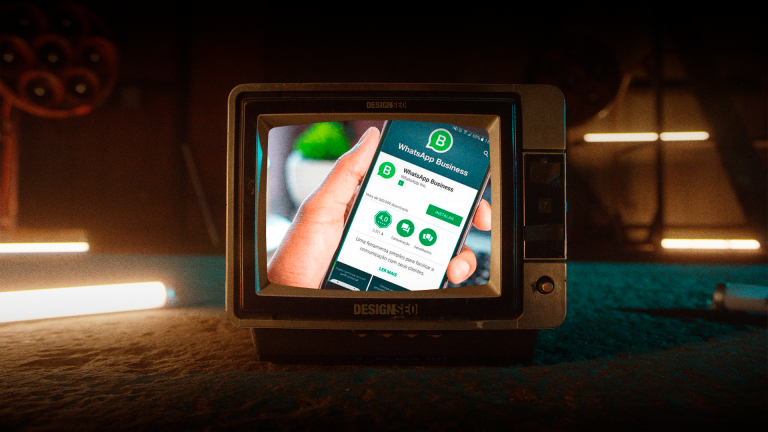
The WhatsApp Business cart lets customers select products from the catalog and send their selection to the business as a message. Sending the cart is not the same as paying or confirming a purchase: the business must review availability, the total and delivery with the customer. The availability of features and payments may vary by account and country.
Why does a cart in the chat matter more than another buy button?
The chat is where the customer already feels comfortable, asks questions in natural language, requests an extra photo and gauges trust through response time. Taking them out of it to buy on an unfamiliar website adds steps, friction and distrust. The WhatsApp cart eliminates that jump, keeps the conversation going, shows a clear summary and leaves the order ready to confirm in the same thread. That continuity is what increases conversion for mid-priced products, where the final doubt is resolved with a quick answer, not a long checkout.
The sign that you need a chat cart is familiar: someone asks for a price on WhatsApp, you send a store link, and they do not return. Changing channels imposes a cost on the customer. A customer who started a chat chose to converse; forcing them to buy in another context breaks the momentum. Keeping the cart and payment inside or close to the chat, with a visible summary and clear options, reduces that cost and lets your team close the sale with full context about what the customer has already viewed.
Conversation versus traditional checkout
Traditional checkout optimizes for independent purchasing, ideal when customers have already decided and want to pay quickly. Conversation optimizes for assisted purchasing, ideal when customers need to verify size, stock, compatibility or timelines. Many businesses need both, but push everything toward checkout and lose customers who still have doubts. The WhatsApp cart serves those customers without asking them to decide alone, and leaves an order trail in the chat for human follow-up if necessary.
That traceability also organizes operations: the order arrives with details, quantities and notes, rather than as a stray message someone must interpret. Fewer errors, less back-and-forth and faster confirmation. When the team sees a structured order, it can confirm stock, suggest a substitute or add shipping without rebuilding everything in text. The customer perceives order, and trust increases before payment.
When is a chat cart a better option than a store link?
Mid-priced purchases, products that require quick verification, customers who arrive from social media and prefer not to register, and businesses where personal service is part of the proposition. If your customer values a quick response more than complete autonomy, the chat cart wins.
How does it work and what do you need to activate it?
The shopping cart is a layer on top of the WhatsApp Business catalog. You need an active WhatsApp Business account, a catalog with products entered with names, prices, descriptions, images and stock, and the cart feature enabled where available according to region and app version. The customer browses the catalog from the chat, adds products to the cart, reviews the summary and sends the order as a structured message. From there, your team confirms it, adjusts it if necessary and shares a payment link or coordinates delivery.
The catalog is the foundation. A disorganized catalog with internal names, photos without context and prices that do not state what is included creates more questions than it answers. Before activating the cart, organize the catalog as a storefront that sells without a salesperson: a name describing the use, a description with a benefit and a key specification, an image showing the product in use and a price with clear variants. That organization reduces repetitive questions and makes the cart a way to buy, rather than to ask what each item means.
Minimum setup to avoid frustration
Create logical categories within the catalog, no more than six visible, with best-selling products first. Define variants as separate items when prices or stock differ, so customers do not add the wrong size. Write descriptions with measurements, materials or compatibility according to the product, and add what is included and the delivery timeframe to each listing. Activate a greeting that explains customers can view the catalog and build a cart without commitment, and an away message that points to response hours with realistic expectations.
Verify in your account that the cart feature is visible to customers, test it as a customer by adding and sending an order, and review how it arrives on the business side. Adjust notifications so the order does not get lost among general inquiries, and define who responds to cart orders and how quickly. A cart without someone responsible is a storefront without a cashier: it creates expectations and frustrates.
Checklist for a cart-ready catalog
Names describing use, photos with a clean background plus one in context, descriptions with a key specification, prices with currency and variants, up-to-date stock and categories reflecting how the customer searches rather than how your warehouse organizes things.
From cart to payment without breaking the conversation
The cart sends an order; it does not collect payment on its own. Payment is handled through a payment link, transfer or integration, depending on the country and provider. The key is to keep payment close to the chat and in context: send a payment link that reflects the cart summary, with a breakdown and total, and confirm in the same thread when payment comes through. Avoid sending the customer to a generic checkout where they must rebuild the order; that is the friction the cart was meant to eliminate.
If you use a payment provider, generate a link with the amount and order reference for quick reconciliation. If you coordinate delivery before payment, confirm stock and estimated timing in the same message so the customer does not have to ask again. That continuity makes customers feel the system remembers what they ordered, even if manual operations are happening behind the scenes. To sustain that continuity at scale, connect the flow with intelligent automation to review which order and status records can be integrated into your tools.
Organizing products so the cart supports the sale
Showing the entire catalog without a hierarchy overwhelms customers and lowers conversion. The catalog should prioritize what solves the most frequent situation faced by customers arriving through chat. Decide that using data: products with the most inquiries, better margins and available proof. Prioritize clear organization and check whether customers find the products they need.
Differentiating by situation helps. If you sell clothing, combine the occasion of use with the internal category for organization. If you sell spare parts, organize by compatibility and urgency. If you sell packaged services, each package should describe the result, what is and is not included, with an example of the deliverable. Translating the catalog into the customer’s language reduces questions and fills the cart with intent rather than curiosity.
Photos, descriptions and prices that reduce back-and-forth
The photo should show the product in its context of use. The description should answer the three questions that generate the most messages: measurement or size, material or compatibility, and timing. The price should clarify variants and shipping, so customers do not add a base-priced item to the cart and get a surprise at confirmation. Every detail you add to the listing is one less message your team must answer and one more order that arrives complete.
An applied example: instead of “basic T-shirt, size M,” write “Pima cotton crew-neck T-shirt, size M, 180 grams, size guide in the second photo.” That specificity reduces exchanges and returns and increases trust because customers feel they can decide without asking. The same logic applies to services, where the listing should show deliverables with a verb and an example, not adjectives.
Catalog mistakes that empty the cart
Photos with overlaid text that cannot be read on mobile, descriptions copied from the supplier without translating them into benefits, prices that do not clarify whether tax or shipping is included, and categories with internal names customers do not recognize. Fixing these issues can make ordering easier. Measure the result without assuming a fixed improvement.
Collections and featured products to guide choice
Use collections to group thoughtfully by need, best sellers, new arrivals, kits and offers. Feature the collection that solves the most common situation faced by today’s arriving customer first, not the one you want to push. Kits with a combined price increase average order value when they combine products customers already buy together, for example in personal care, a basic kit with step one and step two. Customers add the kit to the cart in one tap rather than piecing together a combination with doubts.
Featured products should rotate according to seasonality and stock, not stay fixed for months. A catalog that does not rotate suggests nobody looks after it, and customers perceive it as outdated even when the product is available. Keeping featured products fresh with a review every two weeks takes minutes and keeps the cart relevant.
A conversation flow that converts without sounding automated
The flow around the cart determines whether the experience feels like help or pressure. A flow that sends a catalog without context and then pushes an offer creates rejection. A flow that asks about the situation, suggests a relevant catalog and accompanies the cart with a summary and options creates progress. The difference lies in the order: first understand, then show, then facilitate the close.
The minimum script has four steps. Step one, a contextual greeting: thanks for writing, tell me what you need to solve today. Step two, direction to a filtered catalog: based on what you tell me, these three products solve that situation; you can view them and build a cart directly in the chat. Step three, assistance: I received your order; would you like me to confirm availability and the total with shipping? Step four, confirmation with a clear next step: I’ll send you a link with the summary; confirm here once it is done, and we will coordinate delivery.
Automating without losing personal service
Automate what is informational and leave sensitive matters to humans. Depending on your tool’s features, you can automate a greeting with options, sending a filtered catalog according to a keyword and replies about orders already sent. Do not automate closing with phrases pretending to be a person; customers recognize a template and lose trust. The rule is to automate the delivery of value and recordkeeping, and humanize decisions and objections.
Do not assume the business can see a cart the customer has not yet sent. For follow-up, work with received orders and information the person has shared. If you use an integration, verify which events it offers and what permissions you need before automating messages. Respect contact preferences.
When should you hand over to a human?
When customers ask about specific compatibility, request an invoice with special details, seek a volume discount or express concern about a critical deadline. Those signals indicate that the sale needs a conversation, not a flow. Quickly transferring to a human with cart context prevents customers from repeating the order and speeds up closing.
Post-order follow-up that generates repeat purchases
The order continues after payment through the receiving experience. A confirmation message with a summary, estimated timing and a follow-up contact reduces anxiety and “where is my order?” inquiries. A message after delivery with a usage guide and a request for feedback opens the door to repeat purchases without pushing an offer. That follow-up, when delivered in a warm tone without a long template, generates referrals and second purchases that make the cart effort worthwhile.
To nurture those repeat purchases with useful content, use strategic email that provides care advice, combinations and replenishment based on the purchased product. Customers who receive help using what they bought return to buy without needing a discount, because they perceive the brand as supporting them beyond payment.
Measuring whether the cart helps or only adds steps
Measuring a chat cart requires different metrics from a store. Measure received orders, confirmed payments and response times. Only calculate catalog views or carts created if your tool provides that data reliably and with authorization. That funnel reveals where the flow breaks down: if many view the catalog and few add items, the problem is the catalog; if many add items and few send, the problem is the summary or lack of help; if many send and few pay, the problem is payment or trust.
The weekly dashboard can include the steps you can observe, as well as average order value, the most-added products and the repeat purchase rate of customers who bought through chat. Reviewing that dashboard with the sales and warehouse teams lets you adjust the catalog, stock and messages based on evidence rather than perception. To connect the dashboard with the rest of the business, cross-reference data with strategic data showing where the conversation originated and its contribution to the pipeline.
Early signs of traction and friction alerts
Traction appears in an increase in cart orders as the first structured message, shorter order response times and more orders containing kits. Friction appears in orders with notes correcting everything, requests for photos already in the catalog and messages saying “I didn’t understand how to pay.” Addressing those alerts by adjusting listings and payment messages fixes things faster than adding new products.
Another useful signal is the source of customers using the cart: if they arrive from Instagram, their prior journey influences which catalog to show first. Knowing what the Instagram algorithm sees to prioritize content helps bring more qualified traffic to the chat, because the previous content has already educated them and the cart only needs to close. That connection between content and chat prevents the cart from trying to do all the work alone.
Real limitations and how to work with them
The WhatsApp cart depends on availability by region and version; it is not always available to all customers or directly integrable with every payment method. The catalog has item and editing limits, and the payment experience may still require moving to an external link depending on the country. Knowing those limitations avoids promises of a perfect checkout inside the chat and lets you design a hybrid flow that maintains the conversation even if payment takes place elsewhere.
Working with limitations means communicating clearly: if payment will be through an external link, say so before the customer builds the cart: your order is ready here, and I will send you a link with the same summary to pay; you will not have to rebuild anything. That advance notice reduces surprises and maintains trust because customers know the system remembers their order. When the limitation is stock, show an alternative in the same message; do not let customers discover the shortage at confirmation.
A WhatsApp and website hybrid without duplicate effort
The hybrid model that works best keeps a master catalog in one place and reflects it on WhatsApp and the website without duplicate entry. The website expands with filters, comparisons and content; the chat closes with personal service and the cart. Both share names, prices and descriptions so customers do not perceive two different businesses. That consistency is supported by simple operations: a spreadsheet or tool that feeds both channels and is updated in one place.
If your website already supports an extensive catalog, use the chat to curate: instead of showing a hundred products, show three according to the situation and leave the rest on the website for those who want to explore. Customers value that curation in chat, not exhaustiveness. To organize that curation by intent, draw on the logic of organizing content with the topic cluster methodology, applied to products: grouping by need rather than internal category.
Mistakes that hold back orders even when the cart is activated
Mistake one: activating the cart without organizing the catalog; customers browse, do not understand and abandon. Mistake two: failing to assign responsibility for cart orders; an order arrives and nobody confirms it quickly, so the momentum cools. Mistake three: using the catalog like a long PDF without hierarchy, everything at the same level and no featured items. Mistake four: sending a generic payment link without a summary, forcing customers to rebuild their orders. Mistake five: not measuring the funnel and assuming the cart alone improves sales, without fixing the catalog and messages.
Another common mistake is confusing a cart with a strategy. The cart is a tool; the strategy is deciding which products go first, which combinations form kits and which messages accompany each step. Without that strategy, the cart adds clicks but does not move order value or repeat purchasing. With a strategy, every catalog and message adjustment has a reason and is measured on the weekly dashboard.
When should you scale and when should you pause?
Scale when the funnel shows traction and your team confirms orders in less than an hour with a low correction rate. Pause and fix things when the cart generates orders with errors, repeated questions about details already in the listing and payments delayed by a lack of clarity. Scaling without fixing problems only amplifies friction for more customers; fixing them before scaling gives each new customer a better experience and encourages recommendations.
To decide, review the last twenty cart conversations and mark how many needed correction and how many progressed without friction. If more than a third need correction, the catalog and payment message need adjustment before driving traffic to the chat. That review takes an hour and saves weeks of wasted promotion.
A principle for helping chat close more sales with less effort
The WhatsApp Business shopping cart complements your store and conversational selling with organization and continuity. A clear catalog, a cart that preserves context, nearby payment and supportive follow-up form the sequence that turns inquiries into orders without forcing customers to change channels. A business that masters that sequence sells where customers already trust it and frees up team time, because orders arrive structured and follow-up happens with context.
If your WhatsApp currently receives many inquiries but closes few sales, the next step is to organize the catalog, assign someone responsible, test the four-step flow and measure the cart-to-payment funnel. Once that flow converts, the rest scales with less effort, because each conversation starts from a clear order and each delivery creates a foundation for repeat purchasing. Schedule a review through contact to organize your catalog and flow with an outside perspective, rely on AI-powered dynamic advertising to bring qualified traffic to the chat and on inbound marketing to nurture people before the conversation, and let your chat do what it does best when it is organized: close without friction where trust already exists.
If you need to coordinate customer service and follow-up, review Agencia Cero’s intelligent automation service to evaluate which processes and tools should be connected, without assuming features your account does not offer.



