
If you cannot share your website link on Facebook, first distinguish between an incorrect preview, a page access problem, and an explicit block. These are different situations: changing an image does not lift a block, and removal from an email blocklist does not demonstrate that Facebook allows the domain to be shared. Save the exact message and check the URL before changing the site or paying for a solution.
This guide retains the domain, IP, and provider diagnosis that prompted the original article, but organizes it according to the observed problem. No external tool can promise to unblock a URL on Facebook or offer a universal timeframe for doing so.
Why this guide was published
The article originated with a question from Freddy Maldonado, a corporate identity designer whose website could not be shared on Facebook. The original account associated the incident with a server blocklist and described a quick recovery. That background does not establish the technical cause or guarantee the same result for other sites. It is therefore useful to separate the historical case from today’s diagnostic procedure.

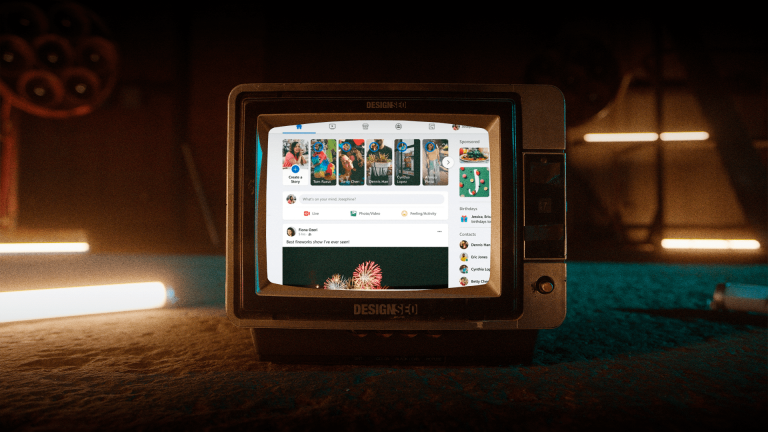
The retained screenshot belongs to the article’s historical context; it should not be taken as a representation of the current interface. To investigate your situation, use the exact text appearing in your account and the complete address of the affected link.
1. Identify what is failing
- The link is posted, but the image or text is wrong: review the preview and page metadata.
- The website does not open or returns an error: check availability, the HTTPS certificate, redirects, and the server response.
- Facebook displays a block or prohibited-content notice: save the evidence and follow the review option the platform provides for that notice.
- The problem occurs only in one account, page, or group: also review the restrictions and permissions for that context. Do not assume that the entire domain is blocked.
Test the exact URL outside Facebook without signing in to your site. Note whether only one page fails or other pages on the same domain do too. Do not keep trying with repeated posts or use shorteners, domain variations, or redirects to evade a block.
2. Check the preview with Facebook’s debugger
Meta’s Sharing Debugger is the reference tool for checking how a link is interpreted when shared. It may require sign-in, and its availability or controls may vary. Its preview diagnostic function is not an appeal and does not guarantee that content will be allowed.
- Open the official tool and enter the complete URL of the affected page, including its HTTPS version.
- Request a diagnosis using the available control and keep the notices and URL the tool read.
- If the problem concerns an image, title, or description, review the corresponding Open Graph metadata on your site and check that its resources are accessible.
- After correcting the page and its cache, request a fresh reading if the tool offers that option, usually called Scrape Again.
- Check a new preview. Do not assume that earlier posts will update automatically or repeat the request expecting it to remove a policy block.
To review the fields, consult the Open Graph protocol: properties such as og:title, og:type, og:image, and og:url describe the shared object. Verify that the title belongs to that page, the image exists, and the URL does not mistakenly point to another section. Ask the administrator for help if you cannot access these settings.
3. Check access, security, and hosting
If the page fails to open or the tool cannot read it, give the provider the URL, the incident time, and the observed message. Ask them to check availability, DNS, the certificate, redirects, and server logs. A firewall or access configuration may prevent legitimate reading, but disabling all protections without identifying the cause is not advisable.
If you find content that does not belong on the site, unexpected downloads, or suspicious redirects, treat the problem as a possible security incident. Preserve evidence and consult a specialist or the hosting team. Fixing a vulnerability requires investigating its origin; creating another website or changing providers without a diagnosis can leave the cause unresolved.
4. Review blocklists when there is supporting evidence
Email reputation lists and Facebook’s decisions belong to different systems. An IP address or domain appearing on an email blocklist may be relevant to a delivery problem, but does not prove that it caused a Facebook restriction. A clean result does not guarantee that Facebook will accept the link either.
- Identify the domain or IP involved with your provider. A website’s public address may belong to a CDN and differ from the IP that sends email.
- If there is a specific reputation notice, consult the service that issued it. The official Spamhaus checker lets you check IP addresses and domains on its lists. An aggregator such as MxToolbox can provide clues, but confirm any result with the relevant operator.
- Read the reason and check which resource is listed. On shared hosting, give the result to the provider: do not blame another customer without evidence.
- Correct the cause before requesting a review. Depending on the case, the operator may request technical information or action from the person responsible for the network.
- Follow only that list’s current instructions and keep the request number, if one exists. A list review does not replace Facebook’s process.
The previous text included several IP and blocklist lookup tools, as well as a supposed removal for 72 hours. That recipe is not universal. Requirements, timelines, and responsible parties vary by operator, so it would be inappropriate to promise automatic removal or claim that every procedure is free.
5. Request a review if Facebook’s notice allows it
If the message offers a link to report an error or request a review, use that channel and explain the case specifically. The location and availability of options depend on the notice and the account; not all blocks present the same form. Do not invent a cause to complete the request.
Prepare the exact URL, error text, approximate date and time, scope of the problem, and checks performed. For example, you can state that the page now opens correctly and attach evidence of the correction if that happened. Keep the platform’s response and do not promise your team an unblocking date that has not been communicated.
Should you pay to leave a blocklist or unblock a link?
A professional may charge for investigating, correcting the site, and preparing supporting information. That work does not give them control over Meta’s decisions or those of an independent list. Ask for the scope, evidence of the problem, and service terms before hiring. Be wary of immediate-unblocking guarantees or anyone requesting passwords to arrange a supposed exception.
How to prevent reputation problems
Keep the site and its components updated, control access, and review security alerts. For email, use an appropriate configuration and consent-based sending practices with the responsible provider. Separating tools or subdomains may be part of an architecture, but does not legitimize spam or eliminate reputation risk by itself.
Choose hosting for its support capabilities, transparency, and incident response, not generalizations about its country of origin. Document who manages the domain, website, email, and security so you know whom to contact when a problem arises.
What Agencia Cero can review
A strategic web design project can include agreed-upon structure, content, development, and testing of site journeys. If the problem affects posting, the context of social media content can also be reviewed. Incident diagnosis, hosting administration, and requests to Meta require confirming responsibilities and scope; they are not offered here as a guaranteed unblocking service.
To talk about your website, gather the URL and error message. Distinguishing previews, access, security, and policies helps you choose the next step without applying solutions intended for a different problem.



